
Interface tour
The tessoa window has five parts: the sidebar, the tab bar, the nav bar, the list area, and the footer. This page names them; the rest of the guide uses those names throughout.
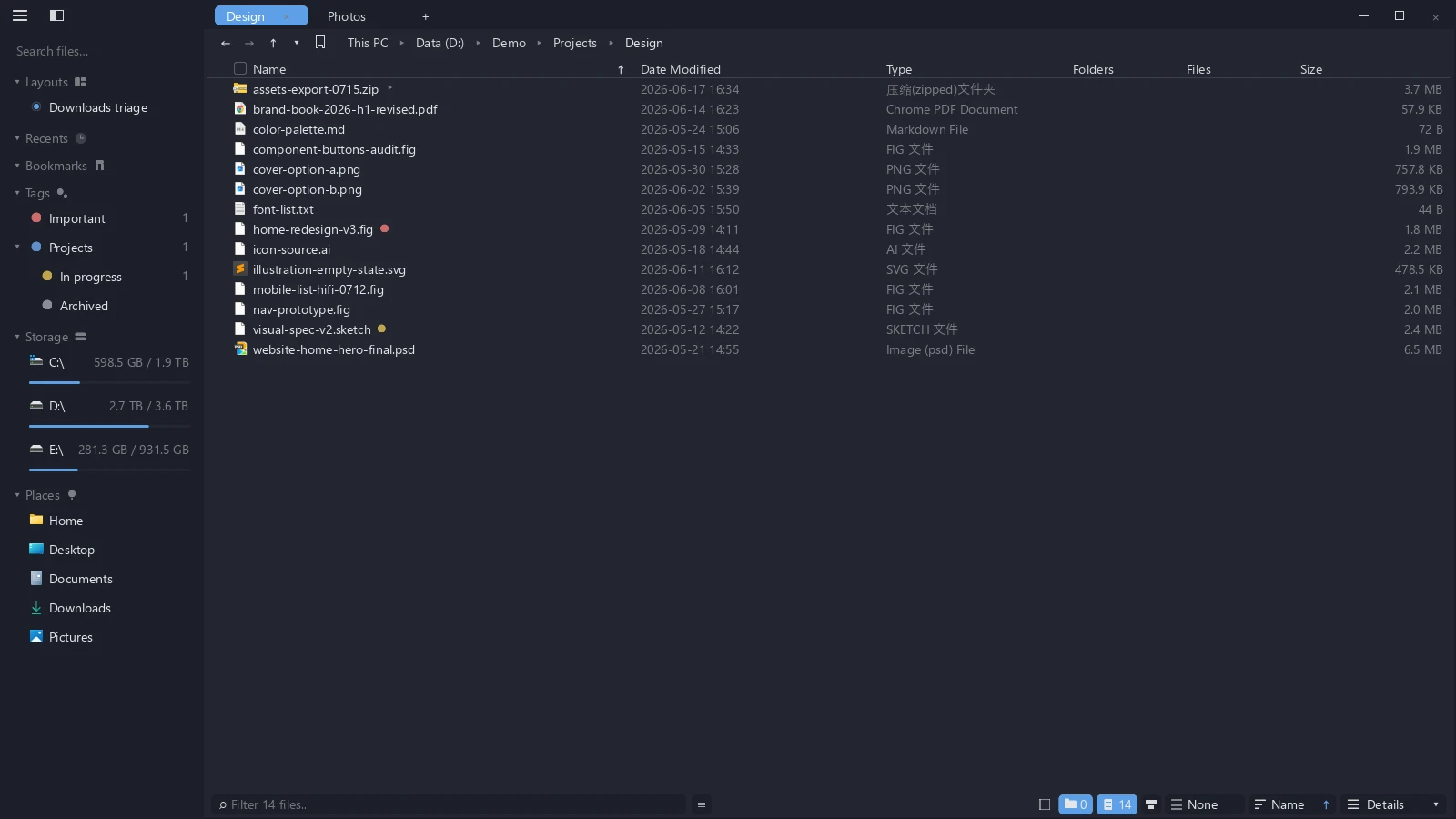
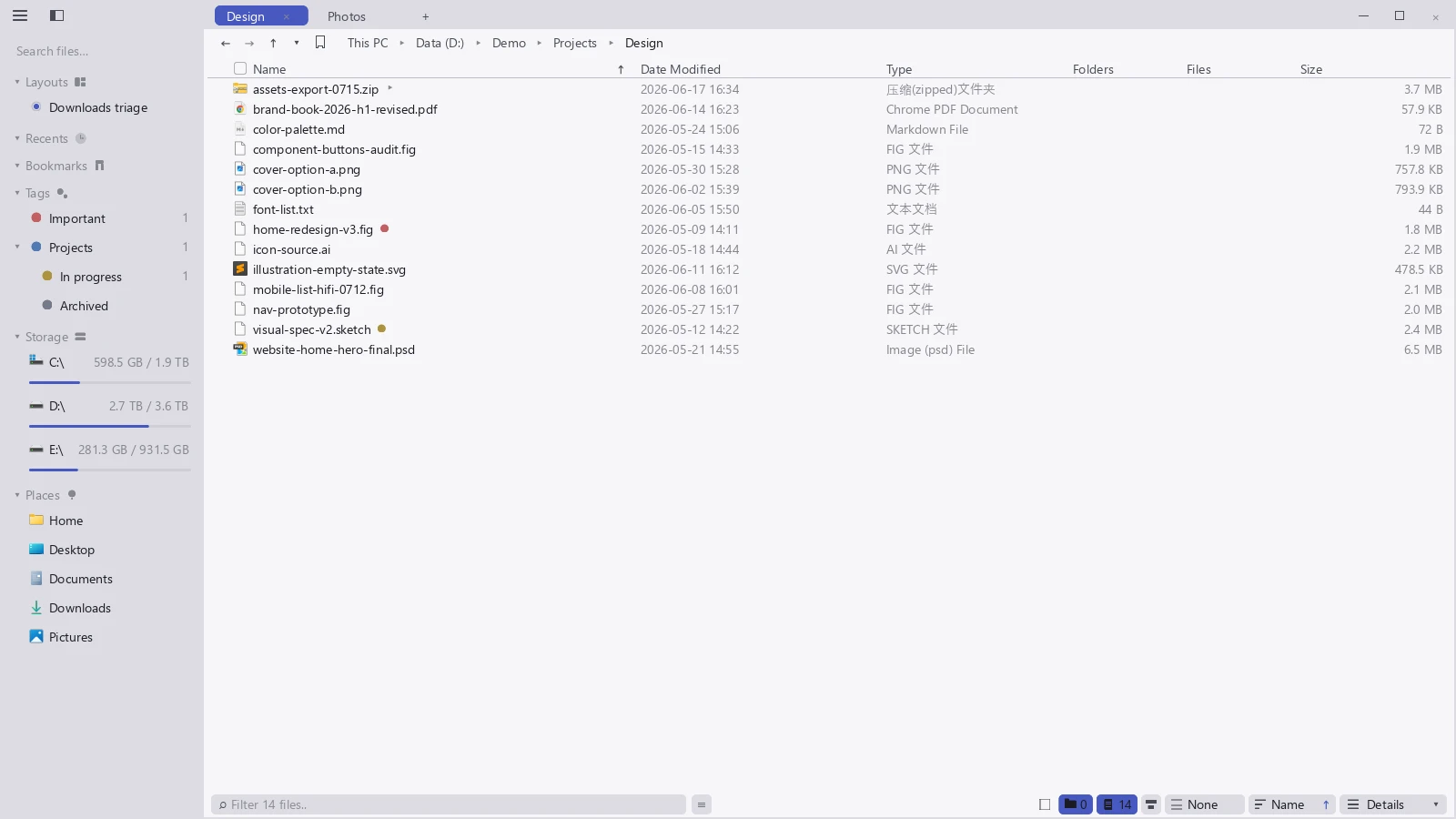
What each part does
| Part | What it holds |
|---|---|
| Sidebar | Layouts, tags, bookmarks, and quick search; drag a section header to reorder — see Arrange the interface |
| Tab bar | Your tabs; + opens a new one; drag a tab to the window edge to split |
| Nav bar | Back, forward, up a level, the current path, and the bookmark star |
| List area | What is in the current folder, shown as details, icons, columns, or a gallery |
| Footer | Status, the filter box, sorting, and the view switcher |
Settings does not sit in a corner. Press Ctrl+Shift+P (⌘+Shift+P on macOS) and it appears. Every preference in tessoa is in there.
These five region names are what this documentation calls them. They are not labels you will see in the app.
Closing the last tab does not quit the app; it returns to the Start Page. To quit, click the window's close button or use the quit shortcut.
What is in the sidebar
Top to bottom, the sidebar holds these collapsible sections. Drag a section header to reorder them (see Arrange the interface):
| Section | What it holds |
|---|---|
| Layouts | The working scenes you have saved, see Layouts & workspaces |
| Recents | Folders you visited lately |
| Bookmarks | Folders you have starred, see File operations |
| Tags | Your colored tags, see Tags |
| Storage | Your drives, with a free-space bar on each |
| Places | Home, Desktop, Documents, Downloads, Pictures |
Above all of them sits a box reading Search files… — the quick search that spans every open tab.
Interface terms in both languages
tessoa's interface can be switched to Chinese in Settings. This table maps the terms this documentation uses onto their Chinese equivalents, in case you are reading alongside a Chinese interface.
| English | 中文界面 |
|---|---|
| Start Page | 起始页 |
| This PC | 此电脑 |
| Settings | 设置 |
| General / Appearance / View / Tabs | 通用 / 外观 / 视图 / 标签页 |
| Input / Display & Performance / Maintenance / About | 操作 / 显示与性能 / 维护 / 关于 |
| Layouts / Recents / Bookmarks / Tags / Storage / Places | 布局 / 最近 / 书签 / 标签 / 存储 / 位置 |
| Details / Columns / Gallery | 详细列表 / 分栏 / 画廊 |
| Icons: Small Icons / Medium Icons / Large Icons / Extra Large Icons | 图标:小图标 / 中图标 / 大图标 / 超大图标 |
| Language / UI Scale / Show Hidden Items | 语言 / 缩放 / 显示隐藏项 |
| Calculate Folder Sizes Automatically | 自动计算文件夹大小 |
| Solid-State Drives / Hard Disk Drives / Removable Media / Network Locations | 固态硬盘 / 机械硬盘 / 可移动介质 / 网络位置 |
| Not calculated | 尚未统计 |
| Theme / Follow System / Custom | 主题 / 跟随系统 / 自定义 |
| Appearance / Font / Font Size / Spacing / Corner Roundness / Animations | 外观 / 字体 / 字体大小 / 间隔宽度 / 圆角 / 动画 |
| Zebra Striping / Flat Folder Icons | 斑马纹(隔行交错色)/ 扁平目录图标 |
| View Scope / Folder hover spread | 视图作用范围 / 目录悬浮展开 |
| New Tab View / New Tab Icon Size | 新建标签页视图 / 新建图标大小 |
| Tab Width / Tab Overflow | 标签宽度 / 标签溢出 |
| Keyboard Shortcuts / Context Menu Order / Menu accelerator keys | 快捷键 / 右键菜单顺序 / 菜单加速键 |
| Drag / Ctrl + drag | 普通拖动 / Ctrl + 拖动 |
| Vim Mode (j/k navigation) | Vim 模式(j/k 键盘导航) |
| Graphics / Frame Rate Cap / Window Size / Show Frame Rate | 显卡 / 帧率上限 / 窗口尺寸 / 显示渲染帧率 |
| Install / Integrate | 安装 / 集成到系统 |
| Check for Updates / Auto-check for Updates (daily) | 检查更新 / 自动检查更新(每天一次) |
| Clean Up Stale Tag References | 清理失效标签引用 |
| Export Language Template | 导出语言模板 |
| Version / Documentation / License | 版本 / 帮助文档 / 授权 |
| Third-Party Licenses / Terms & Privacy Policy | 第三方开源许可 / 用户协议与隐私政策 |
| Sort by / Group by | 排序方式 / 分组依据 |
| Open / Open With / Copy / Cut / Paste | 打开 / 打开方式 / 复制 / 剪切 / 粘贴 |
| Paste Into Folder / Copy Path / Delete / Properties | 粘贴到此文件夹 / 拷贝路径 / 删除 / 属性 |
| New Folder / Open in Explorer / Open in Terminal | 新建文件夹 / 在资源管理器中打开 / 在终端中打开 |
| Tags for This Folder / untitled folder | 当前文件夹的标签 / 未命名文件夹 |
| Show details panel / Hide details panel | 显示详情面板 / 隐藏详情面板 |
| File context menu / Background context menu / Sidebar · Tag menu | 文件右键菜单 / 背景右键菜单 / 侧栏 · 标签菜单 |
| Reset Order / Lock in-menu drag reorder / Not set | 恢复默认顺序 / 锁定菜单内拖拽 / 未设置 |
| Zoom in / Zoom out / Rotate left / Rotate right | 放大 / 缩小 / 向左旋转 / 向右旋转 |
| Single page / Continuous scroll / Two-page | 单页 / 连续滚动 / 双页 |
| Match case / Match whole word / Use regular expression | 区分大小写 / 全词匹配 / 正则表达式 |
| Select All / Copy Cell Contents | 全选 / 复制单元格内容 |
| — Preview load limit reached — / Invalid / No results | — 已达预览加载上限 — / 无效 / 无结果 |
| Save Current Window as Layout / New from Template… | 将当前窗口保存为布局 / 从模板新建… |
| Save Current Window Here / Duplicate Layout / Lock Layout | 保存当前窗口到此布局 / 复制布局 / 锁定布局 |
| (Current Layout) / (Last Unnamed) | (当前布局) / (上次未命名) |
A suggested reading order
- Quick start: the main features in five minutes
- File operations: selecting, copying, renaming, finding
- Tabs & split panes: two folders side by side
- Tags and Layouts & workspaces: the two things tessoa does differently from other file managers
- View modes: details / icons / columns / gallery
- Vim mode: if you want to work entirely from the keyboard